


Proteus Integrator -
Enterprise Data Integrations Made Easy
A key component of Proteus Envision that connects and brings in your data
No Code: Streamlined for Agile
Powerful object-oriented administrative layer that accesses data binding, integration, interoperability and visualization functionality in one place, supporting Agile development and deployment.
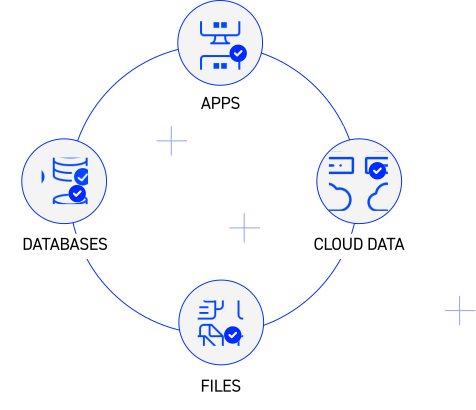

Open Data: Maintain Data Integrity & Transparency:
Our solutions adhere to industry and government data standards, fostering trust and accountability. This allows for easy audits and traceability.
Verifiable OPEN Systems
None of the calculations, metrics, linkages, or algorithms that are used in constructing solutions are black-boxed. As with data, all functions are open and verifiable.
Secure Data Access
Operates in a wide range of security environments, including classified networks. Uses Windows Authentication (WA) and Active Directory (AD), including CAC security in conforming to local security application protocols.

Decrease deployment by
2 days to implement vs ~28 days with a dev team
99.99% of All Data Sources
From the newest API data streams to standard schemas, or even legacy database systems, no data is beyond our reach.
By the numberS
Immediate Return on Investment in First Year
Average improvement in Business Value of Data (BVI)
Faster performance than leading competitor

Enterprise Data Integration
Designed for enterprise and government clients. Seamlessly integrate data from various sources through APIs, ODBC, and OLE DB connections, enabling efficient two-way communication and effortless deployment from a centralized source of truth.

Yes, it works with .NET
Leverages the power of .NET for full integration and interoperability within the Windows operating environment and across Microsoft Office and other applications, including PowerBI.
Your data
how you want it
Interactive Live Reporting
Reports are designed and configured using dynamic data binding. See updates happen live as data changes.


User defined visualizations
Solutions persist as applications derived from a common platform, organizations can establish a standard set of formats for individual, integrated, or combined datasets or delegate visualization features to users.
Import Critical Metadata
Maximize your data investment by surfacing critical metadata such as certifications, warnings, and definitions directly in the analytics experience.
Scale with Cloud or on Premises
Easily construct and expand vital analytics with utmost control over your data. Experience unlimited scalability, enhanced efficiency, and streamlined security measures on Cloud or locally.

Purchase Once, Use Forever
Say goodbye to recurring fees, Own your software with a single upfront cost. Get ongoing support and updates with our flexible maintenance plans, maximizing your investment and ensuring long-term value.

Want to see more?
Get in touch with one of our solutions experts for a demo and see how quickly we can unify your data
Learn How To:
Connect with us
Questions and Answers
Don’t see your question? get in touch.

It takes 2 minutes to install and 15 minutes to build a “Hello World” example in Proteus Integrator. It typically takes anywhere from a day to a few weeks depending on complexity, to roll out a Proteus Dashboard App to end users.
No, Proteus Integrator can connect to any data within your enterprise such as databases, files and other API’s and doesn’t matter what type of data it is. The Envision Data Transformer facilitates the export/import of industry defined standards so Envision Dashboard Apps can be configured to those schemas, and can be enriched with any other related datasets within the organization.
Not at all. Having a good sense of data and how datasets relate like primary key and foreign key relationships is helpful, as well as being able to get around in Excel. Some SQL knowledge may be required to retrieve datasets from databases, but no knowledge of C#, Java, Python, etc. are needed to configure and integrate your dashboard apps.
No, all configuration settings are stored in files in the Proteus Repository folder and do not need to be compiled into an application. This repository folder is what users connect to for gaining access into the Dashboard apps. This makes roll outs and any updates a breeze to the organization.